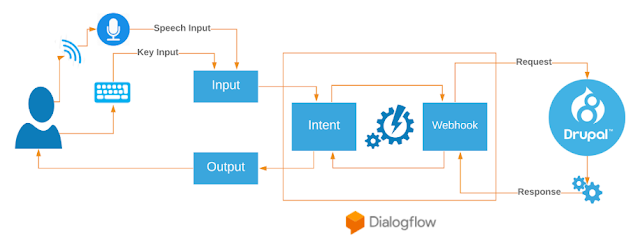
Chat Bots are giant step in transforming CMS to next generation of Digital experiences and engagement - Part 2
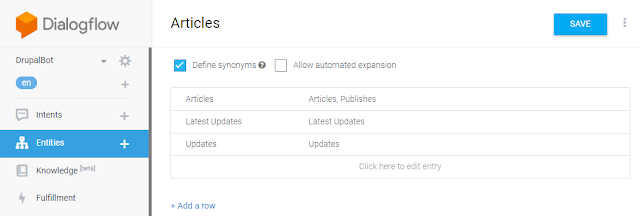
Let's Continue where we left off in our previous post . We will start configuring DialogFlow for processing our Intents, Entities and webhook. 3. Configuring and Working with DialogFlow Steps to Create a New Dialogflow Agent: A Gmail account to access Dialogflow To Create app at go to https://console.dialogflow.com/api-client/#/login Click on Sign in With Google and It will ask : "DialogFlow wants to access your Google Account" . Click Allow and Accept T&C Click CREATE AGENT in Left Most Panel of Dialogflow Give Some Agent Name, like, "ChatBot" and it will create an agent Create Entities by Clicking Entity: 1. Click on Entities in Left Most Panel and Create New entity: "Articles" . Check "Define Synonyms" and add synonyms for each entry: Articles Articles,Publishes ...